以下のソースだとcaptionがやたら近くなってしまう場合がある
\begin{figure}[htbp]
\begin{minipage}{0.5\hsize}
\begin{center}
\includegraphics[width=\hsize]{hoge.png}
\end{center}
\caption{
This is an example using minipage without parbox. This is an example using minipage without parbox. This is an example using minipage without parbox.
}
\label{fig:hoge1}
\end{minipage}
\begin{minipage}{0.5\hsize}
\begin{center}
\includegraphics[width=\hsize]{hoge.png}
\end{center}
\caption{
This is an example using minipage without parbox. This is an example using minipage without parbox. This is an example using minipage without parbox.
}
\label{fig:hoge2}
\end{minipage}
\end{figure}
そういうときは、parboxを使う
60mmとか80mmって数字は好みで変える
\begin{figure}[htbp]
\begin{minipage}[t]{0.5\hsize}
\begin{center}
\includegraphics[width=\hsize]{hoge.png}
\end{center}
\caption{
\parbox[t]{60mm}{
This is an example using minipage and parbox. This is an example using minipage and parbox. This is an example using minipage and parbox.
}
}
\label{fig:hoge1}
\end{minipage}
\begin{minipage}[t]{0.5\hsize}
\begin{center}
\includegraphics[width=\hsize]{hoge.png}
\end{center}
\caption{
\parbox[t]{60mm}{
This is an example using minipage and parbox. This is an example using minipage and parbox. This is an example using minipage and parbox.
}}
\label{fig:hoge2}
\end{minipage}
\end{figure}
-
-
-
- -
-
-
(追記)
\begin{minipage}[t]{0.5\hsize}
の[t]を追記した
これがあると2枚の図でcaptionの長さが全然違ったときに図の位置がずれてしまうのを防止できる
図の上位置で揃えて並べてくれる
-
-
-
- -
-
-
比較画像↓
(このTeXソースだと全然captionが近くないね・・・・)
上記のminipageだとやはりダメだったので、他の方法を探す
parboxを使うと、Figure. 10みたいな数字がやたら引き延ばされて表示されてしまう
minipageを使うときちんと図は2枚横に並んでくれるのでそれはOKだが
問題はcaptionの付き方
というか別にcaptionが図ごとに付いている必要はあんまりないのだが・・・
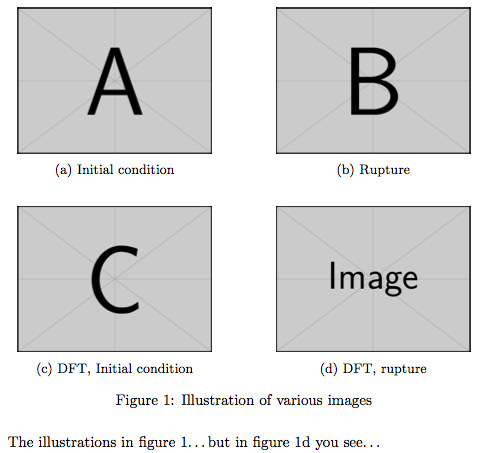
floats - Minipage with four figures - avoiding too much whitespace - TeX - LaTeX Stack Exchange
ここに自分が求めているような図があった
minipageの代わりにsubfigureというのを使っているらしい
出来上がりはこんな感じ
-
-
-
-
-
-
-
- -
-
-
-
-
-
-
手元での仕上がりもチェックしておく・・・・
ソースコードはこんな感じ
Hって何? って聞かれたら、here.styが入っていないのでHをhtbpとかに置き換えること
\begin{figure}[H]
\begin{subfigure}[]{0.5\linewidth}
\centering
\includegraphics[width=\hsize]{hoge.png}
\caption{
\parbox[t]{60mm}{
This is hoge. This is hoge. This is hoge. This is hoge. This is hoge.
}
}
\label{fig:lefttop}
\vspace{4ex}
\end{subfigure}%%
\begin{subfigure}[]{0.5\linewidth}
\centering
\includegraphics[width=\hsize]{hoge.png}
\caption{
\parbox[t]{60mm}{
This is hoge. This is hoge. This is hoge. This is hoge. This is hoge.
}
}
\label{fig:righttop}
\vspace{4ex}
\end{subfigure}
\begin{subfigure}[]{0.5\linewidth}
\centering
\includegraphics[width=\hsize]{hoge.png}
\caption{
\parbox[t]{60mm}{
This is hoge. This is hoge. This is hoge. This is hoge. This is hoge.
}
}
\label{fig:bottomleft}
\end{subfigure}%%
\begin{subfigure}[]{0.5\linewidth}
\centering
\includegraphics[width=\hsize]{hoge.png}
\caption{
\parbox[t]{60mm}{
This is hoge. This is hoge. This is hoge. This is hoge. This is hoge.
}
}
\label{fig:bottomright}
\end{subfigure}
\caption{This is total hoge. This is total hoge. This is total hoge. This is total hoge. This is total hoge. }
\label{fig:total}
\end{figure}
上のTeXソースで%%とついているところ、改行を追加してしまうと
つまり、
\end{subfigure}%%
\begin{subfigure}[]{0.5\linewidth}
としてしまうと、横に2枚並ばないので注意

-
-
-
-
-
-
- -
-
-
-
-
-
使っているのはsubfigureだけど、必要なのはsubcaption.styというスタイルシート
subcaption.styのダウンロードはCTANからできるはずだけど、リンクがないなぁ・・・
-
-
-
-
-
-
-
-
-
- -
-
-
-
-
-
-
-
-
上の図で、(a)とかいうsubcaptionを消せないかなぁ〜と思って
「subcaption no caption」でググってみた
(それもはやsubcaptionいらないじゃん・・・とはちょっと思った)
そしたら、\phantomcaption{}という中二病心をくすぐる名前のオプションを見つけたw
これを使うとこんな感じの図ができる
サンプルコードは
\usepackage{subcaption}

\begin{figure}[H]
\begin{subfigure}[]{0.5\linewidth}
\centering
\includegraphics[width=\hsize]{hoge.png}
\phantomcaption{}
\label{fig:lefttop}
\vspace{4ex}
\end{subfigure}%%
\begin{subfigure}[]{0.5\linewidth}
\centering
\includegraphics[width=\hsize]{hoge.png}
\phantomcaption{}
\label{fig:righttop}
\vspace{4ex}
\end{subfigure}
\begin{subfigure}[]{0.5\linewidth}
\centering
\includegraphics[width=\hsize]{hoge.png}
\phantomcaption{}
\label{fig:bottomleft}
\end{subfigure}%%
\begin{subfigure}[]{0.5\linewidth}
\centering
\includegraphics[width=\hsize]{hoge.png}
\phantomcaption{}
\label{fig:bottomright}
\end{subfigure}
\caption{This is an example using subfigure and phantomcaption. This is an example using subfigure and phantomcaption. }
\label{fig:total}
\end{figure}
参考
tables - Subfigure arrangment with no caption with IEEE format - TeX - LaTeX Stack Exchange
